AI-Generated Goals: A Step-by-Step Guide for Project Success
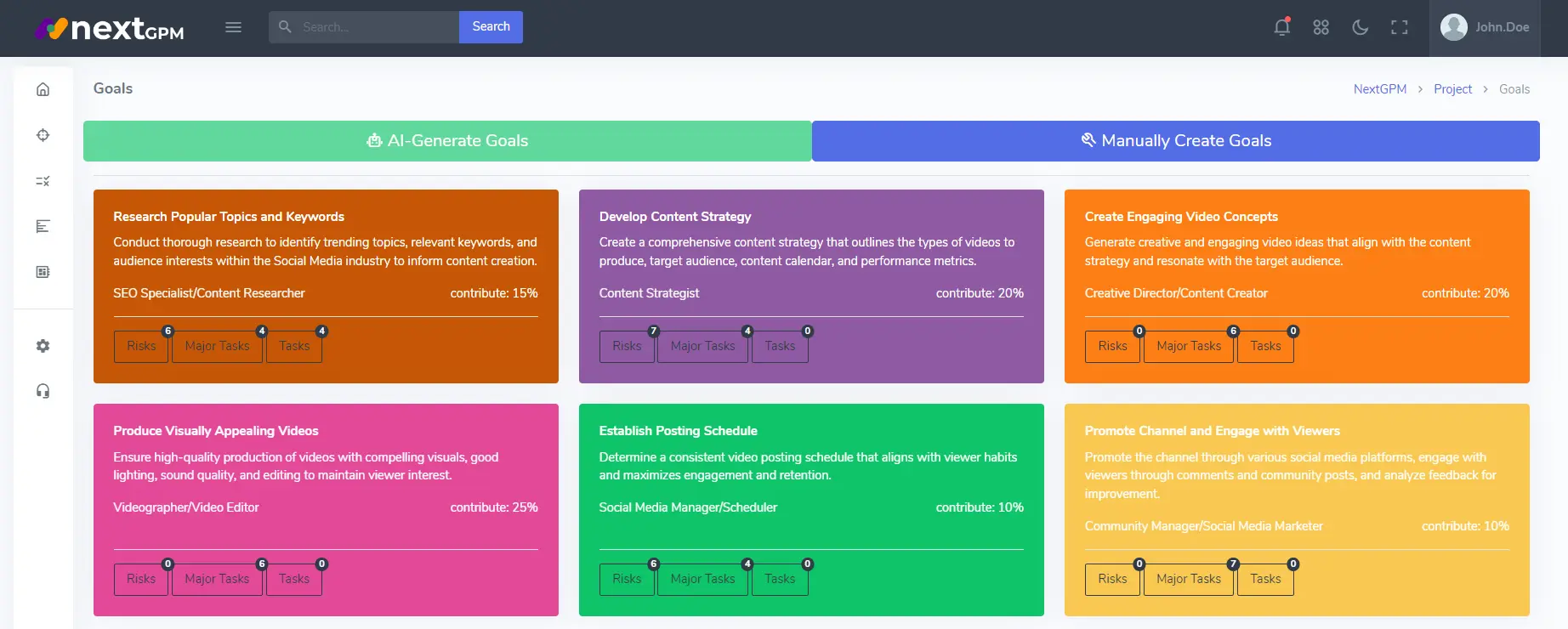
NextGPM's AI-Generated Goals feature is a game-changer for efficient project planning. By harnessing the power of AI, you can quickly and easily generate a set of personalized, actionable goals tailored to your project's specific needs. This powerful tool helps you:
- Save Time and Effort: Forget about manually brainstorming and refining goals. NextGPM's AI does the heavy lifting for you, letting you focus on reviewing and fine-tuning the suggestions.
- Ensure Alignment and Relevance: NextGPM's AI considers your project details, including the industry, project title, overview, tags, start date, and end date. This ensures that the generated goals are highly relevant and aligned with your project's objectives.
- Gain a Comprehensive Understanding: NextGPM's AI goes beyond simply generating goals. It also provides a valuable resource contribution and risk analysis for each goal. This helps you understand how each goal impacts your project's resources and potential risks, allowing you to make informed decisions regarding resource allocation and contingency planning.
- Optimize Your Project Roadmap: By using AI-Generated Goals, you can create a more robust and effective project roadmap. This leads to better project execution, increased efficiency, and a higher likelihood of achieving your desired outcomes.
Understanding SMART Goals
The AI-generated goals in NextGPM are designed to follow SMART principles, which stands for:
- Specific: Each goal should be clearly defined and leave no room for ambiguity.
- Measurable: Each goal should have a quantifiable metric to track progress and determine if it has been achieved.
- Achievable: The goals should be realistic and attainable given the project's resources and constraints.
- Relevant: Goals should align with the overall project objectives and contribute to its success.
- Time-Bound: Each goal should have a specific deadline to provide a sense of urgency and ensure timely completion.
How to Use AI-Generated Goals
Here's a step-by-step guide to using NextGPM's AI-Generated Goals feature:
- Access the Goal Generation Feature: Navigate to the "Goals" section of your
project in NextGPM.
To navigate to the "Goals" section of your project, firstly you must have selected a project from the project list. Once you have selected a project, you will be redirected to the project details screen. From the project details screen, you can access the "Goals" section in three ways:
- Click on the "Goals" tab in the project details screen.
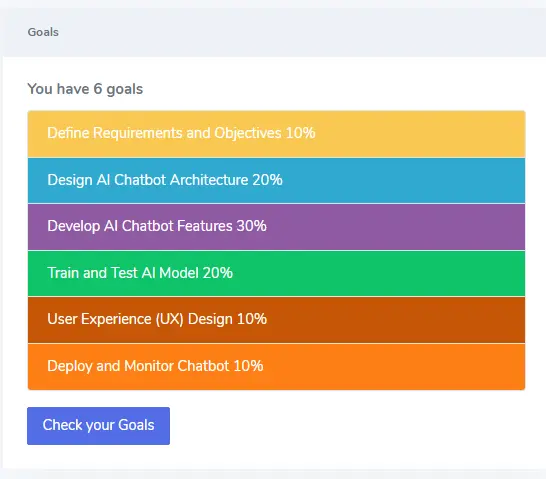
Goals generated in Project Details View.
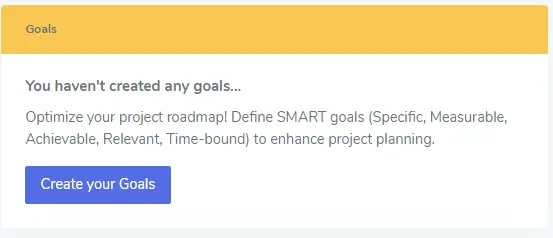
Goals not yet generated in Project Details View.
- Click on the "Goals" link in the project details screen's sidebar.
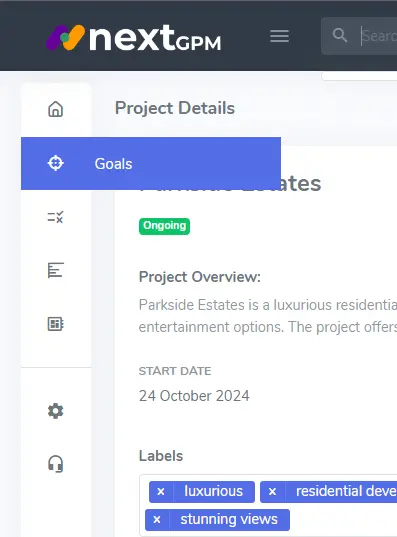
Project Details View left sidebar goals link
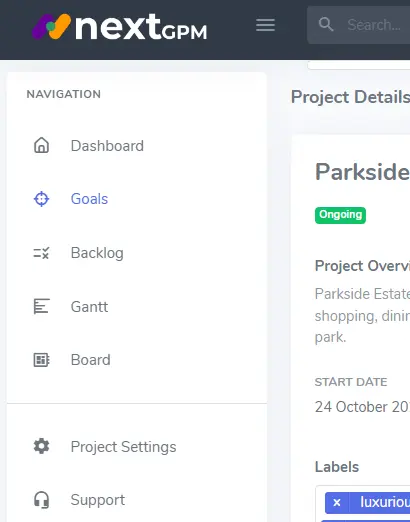
Project Details View left sidebar expanded goals link
- Click on the "Goals" link in the project details screen's top navigation bar.
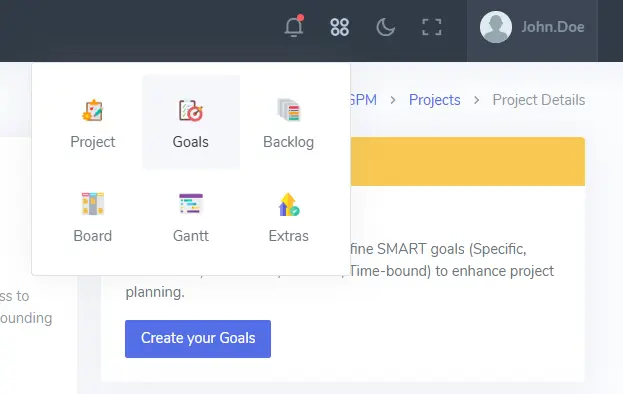
Project Details View top navigation goals link
- Click on the "Goals" tab in the project details screen.
- Click the "AI-Generate Goals" Button: Activate the AI to generate a set of
personalized goal
suggestions.
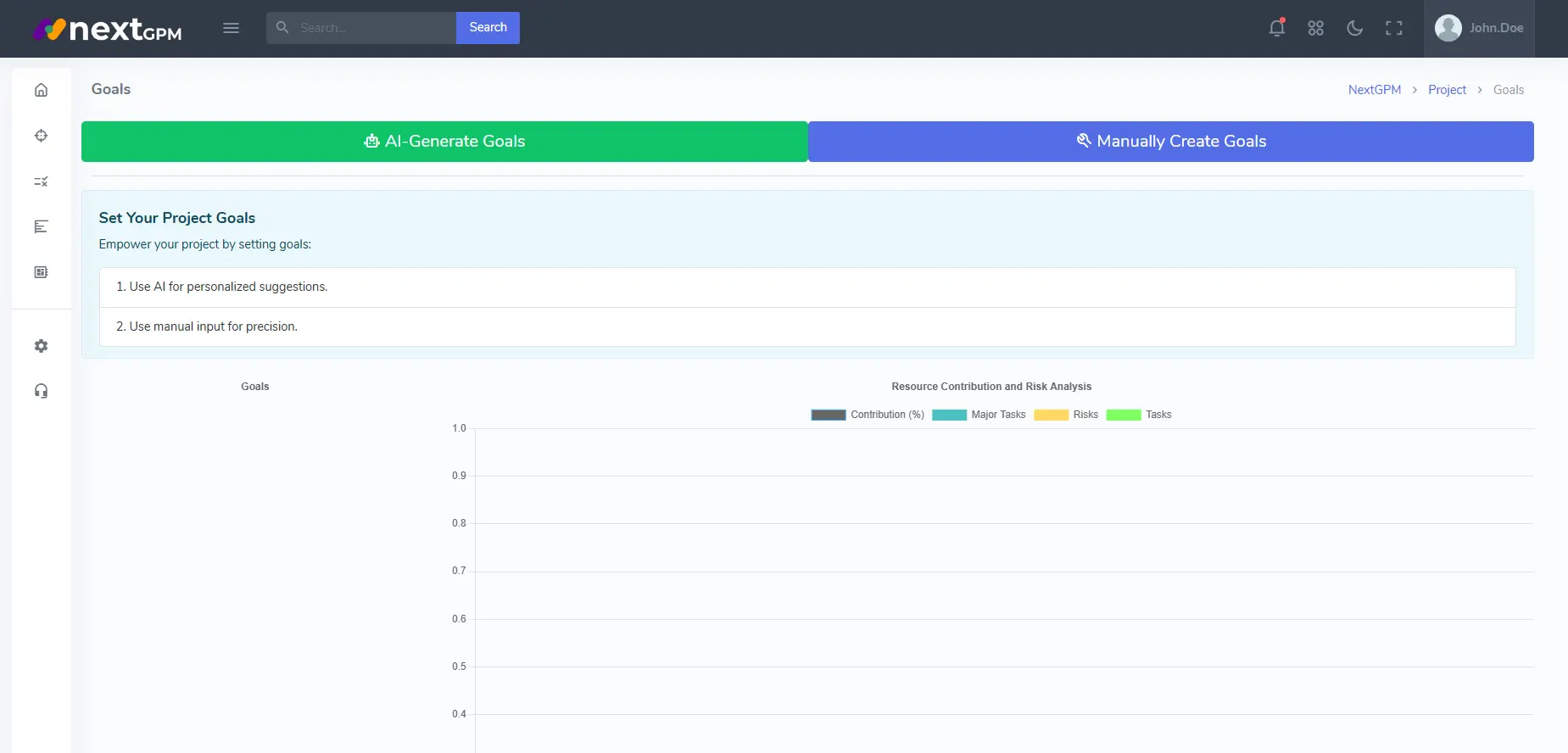
Goals Details View
- Review the AI-Generated Goals: Carefully review the goals proposed by the AI.
Consider their relevance
to your project objectives, resource constraints, and potential risks.
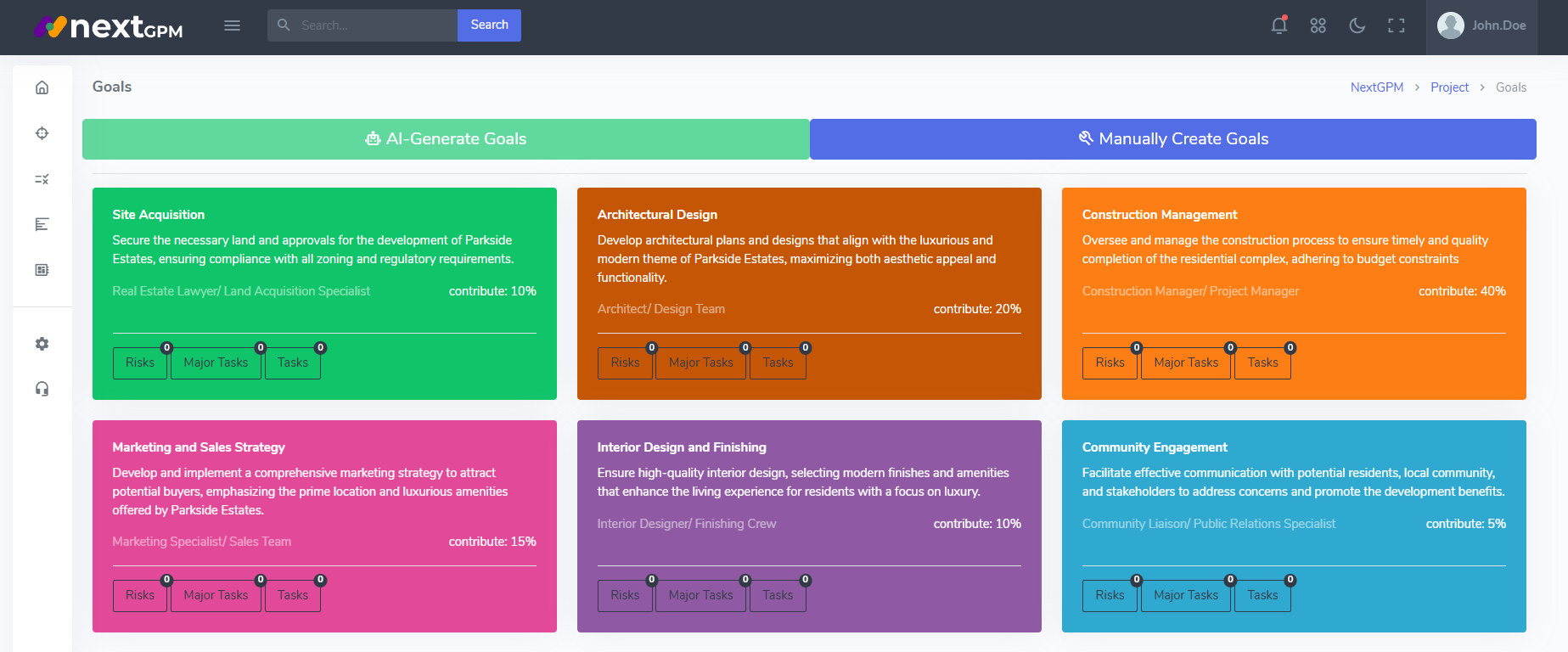
SMART Goals AI Generated Cards
- Customize the Goals (Optional): You can adjust the generated goals by editing their names, descriptions, start and end dates, and contribution percentages. This allows you to tailor the goals to perfectly match your specific needs.
- Utilize the Resource Contribution and Risk Analysis: NextGPM provides insights into the resource contribution and potential risks associated with each goal. Use this information to prioritize goals and develop contingency plans to mitigate potential challenges.
- Save and Integrate Your Goals: Once you're satisfied with your AI-generated goals, save them and integrate them into your overall project plan. This provides a clear roadmap for project execution and helps to ensure that your team remains aligned on the key objectives.
Best Practices for AI-Generated Goals
- Prioritize and Focus: Identify the most critical goals based on their contribution percentage and potential risks. Focus on achieving these key goals for maximum project success.
- Combine with Manual Input: Use AI-Generated Goals as a starting point and supplement them with your own manual input to create a comprehensive set of project goals that perfectly reflects your project's unique needs.
- Regularly Review and Update: As your project evolves, revisit and update your goals to reflect changes in scope, priorities, or resources. This ensures that your project roadmap remains relevant and dynamic.